

Quickstart
Installation
Section titled “Installation”- Download the latest
Gacha_Blender_Setup-<version>.zipfrom the latest GitHub release. - Launch Blender 5.2+.
- Drag and drop the downloaded
.zipfile into the Blender window. - Enable the Enable Add-on checkbox and click OK to confirm.
- If it doesn’t install automatically, open Edit > Preferences > Add-ons, click Install from Disk…, select the
.zip, and enable the add-on checkbox.
Setup Character
Section titled “Setup Character”- Press
Nin the 3D Viewport to open the Character Setup Wizard sidebar panel.
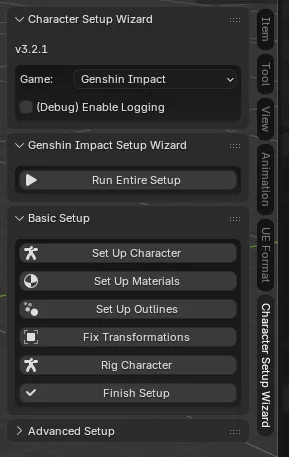
- Select your game.
- Click Run entire setup.
Note: for ZZZ and NTE you will need to run the steps one by one from top to bottom in Basic Setup.
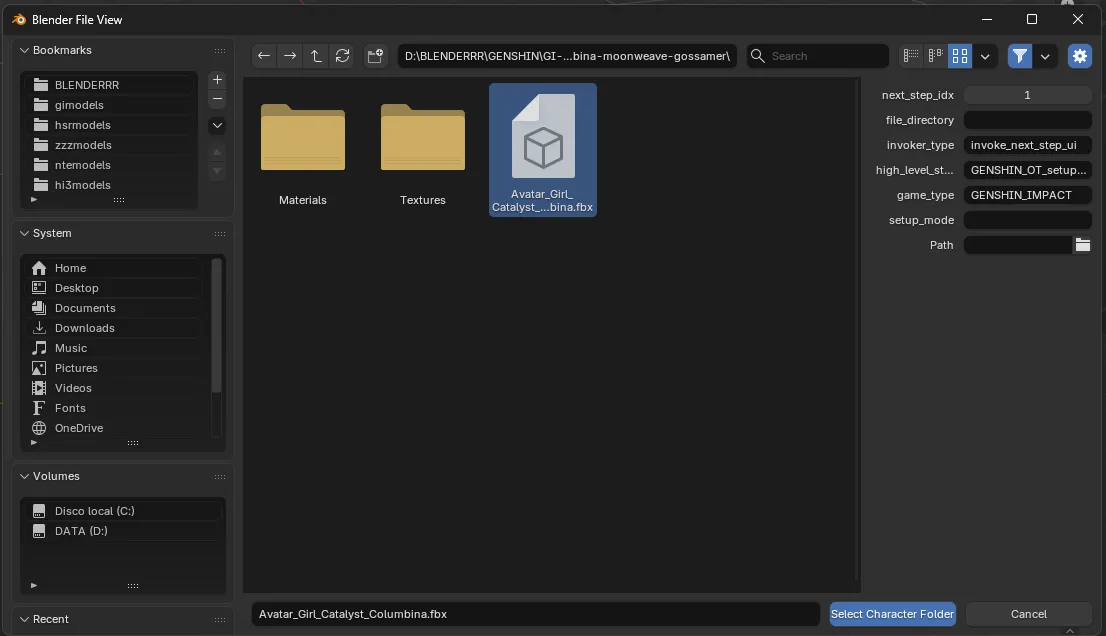
- Select your character folder and click Select Character Folder.
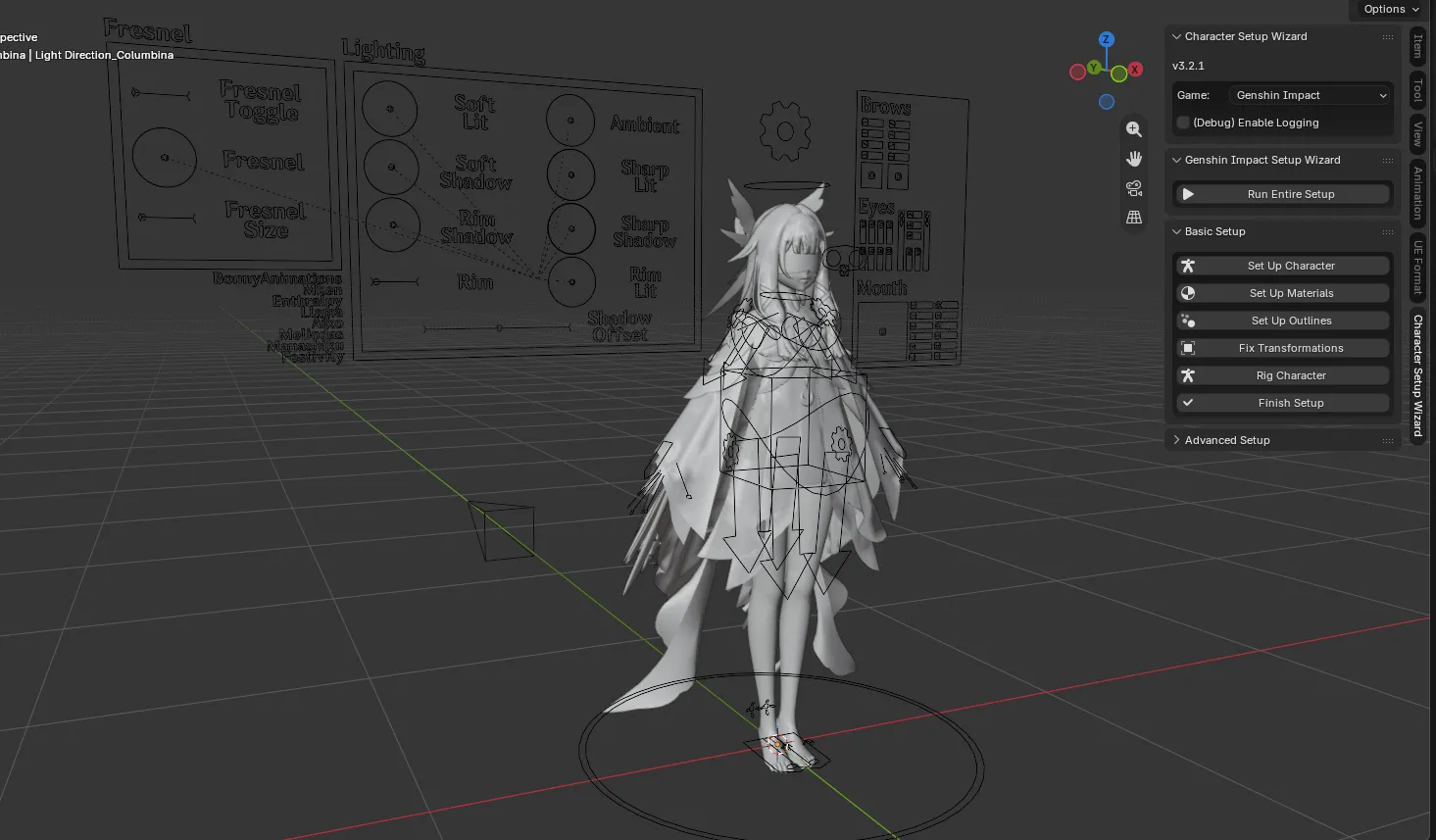
- Wait a few seconds and your character will be ready in the scene.
Legend
Section titled “Legend”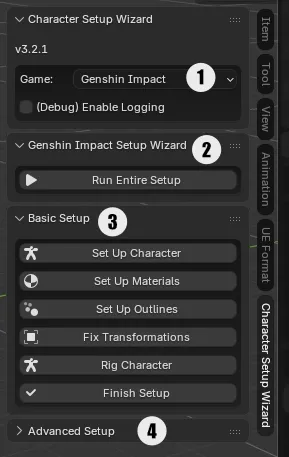
- Game selector: Genshin, HSR, ZZZ, NTE.
- Run entire setup: Runs everything in Basic Setup step by step with one click. Note that this button doesn’t exist for ZZZ and NTE.
- Basic Setup: If there’s no Run entire setup button, run the steps one by one from top to bottom to set up everything for your character.
- Advanced Setup: Not recommended to use.